What's New on Embodia: July 2026
By: Embodia Team ∙ Estimated reading time: 5 minutes
By: Embodia Team ∙ Estimated reading time: 5 minutes
The Details that Keep a Practice Running Smoothly
The small gaps in a practice rarely announce themselves: an unfinished form, an address that didn't get updated in time. This month's updates are about closing those specific gaps before they turn into a rescheduled appointment or an awkward moment at the front desk.
New this month:
- Incomplete questionnaire and consent form warnings, right in your calendar
- Scheduling a change of location, without losing appointment continuity
- The consult page: more of a toolkit than you might realize
- A few other quick updates
- New in the exercise library: rock climbing–specific content
Incomplete Questionnaire & Consent Form Warnings
Know before you're standing in the room.
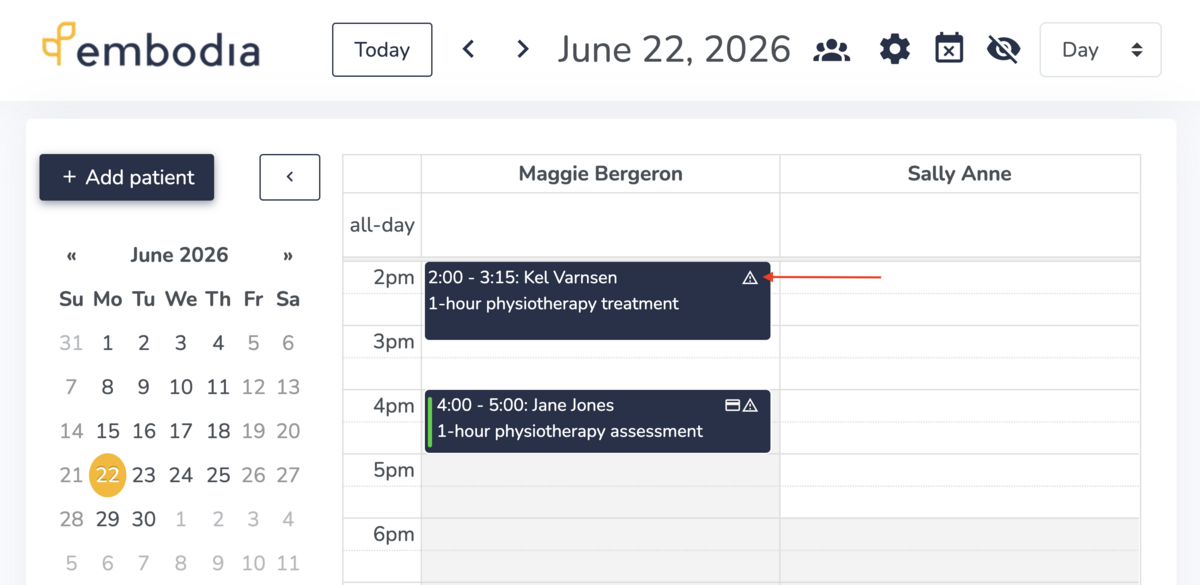
You can now see directly from your calendar which patients haven't completed their intake questionnaire or consent form.
🔒 Requires an active Tier 3 Practice Management membership
Learn more → Visit the the guide Using the calendar view
Scheduling a Change of Location
Moving shouldn't mean losing continuity.
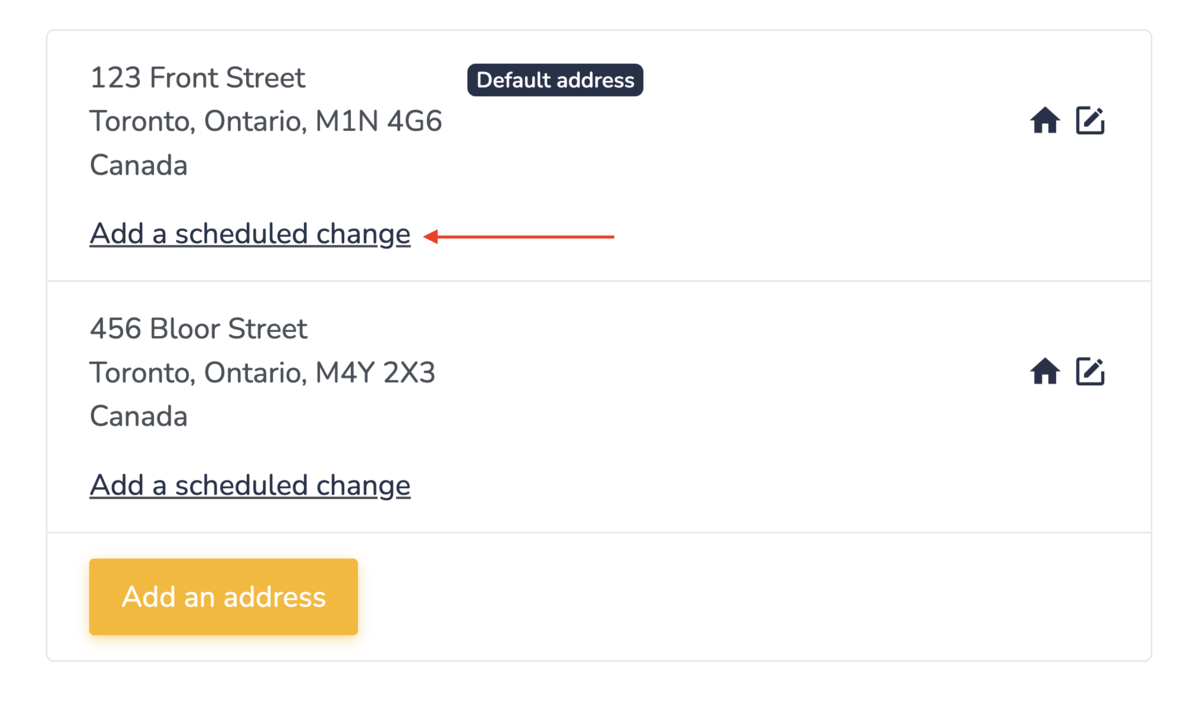
If you're moving locations, permanently or temporarily, you can now add a scheduled change by clicking Add a scheduled change under your clinic's address. Enter the new address, then set when it takes effect using the "Valid from" and "Valid until" fields. Embodia automatically shows patients the correct address based on their appointment date.
For example: if your current location is "Location A" and you schedule a change to "Location B" starting July 1st:
- Patients booking an in-person appointment on or before June 30 see "Location A"
- Patients booking on or after July 1 see "Location B"
🔒 Requires an active Tier 3 Practice Management membership
Learn more → Visit the 'Address' section in the Contact information & branding guide
The Consult Page: More of a Toolkit Than You Might Realize
The consult page lets you make whatever edits a booking needs. We've made a few improvements recently, but we haven't talked much about everything it can already do. Here's the full picture:
You can give a consult a custom name: it defaults to "Consult for [Patient Name]," but you can change it to anything, and patients will see it.
From there, you can also edit: start time, duration, clinical case, service, other practitioners, consent form, consult email, setting, questionnaire group, location, internal notes, and short description.
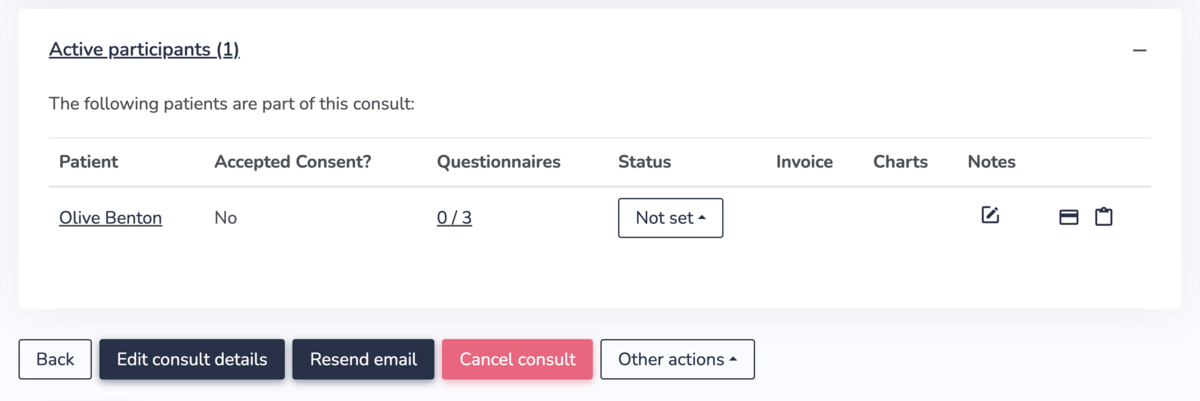
At the bottom of the page, you'll find your active participants and details about each one.
From here you can also: resend the consult email, cancel the consult, and, under "Other actions", duplicate the consult ("Schedule similar") or view a full tracked history of who on your team edited the appointment and when.
🔒 Requires an active Tier 3 Practice Management membership
Other Quick Updates on Embodia:
Seeing the clinical case name under My Charts:
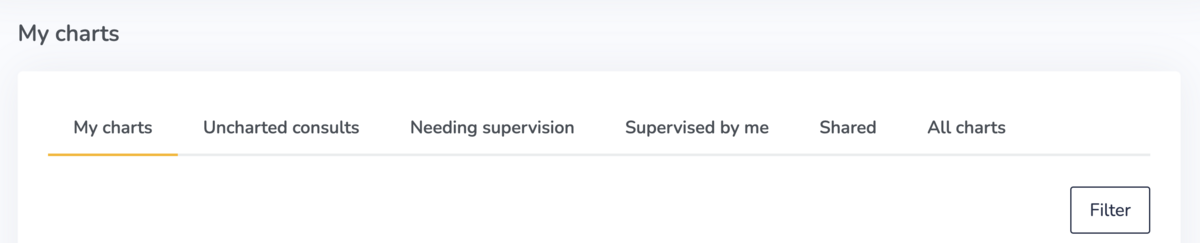
The My Charts section shows you a summary of all of your charts. You can view:
- My charts: all of your charts
- Uncharted consults: a helpful view showing you all consults that don't yet have a chart
- Needing supervision: if you're using the supervision feature on Embodia, you can find all charts needing supervision
- Supervised by me: if you're using the supervision feature on Embodia, you can find all charts that you have supervised
- Shared: any charts shared by colleagues
- All charts: if you are the clinic manager you can view all charts for the clinic
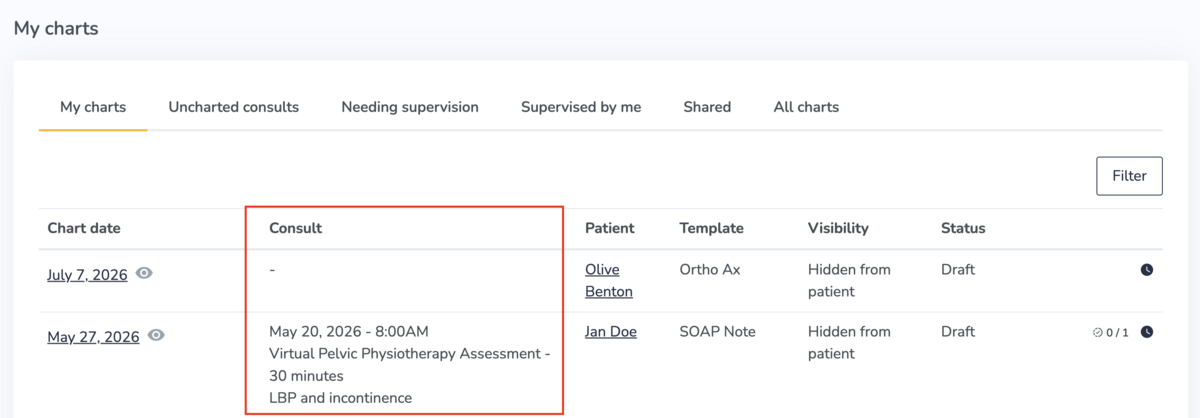
What's new under My Charts? Consult details, including the clinical case name, are now visible in the full chart list so you can differentiate between consults at a glance.
Charts don't have to be associated with a consult or a clinical case, so this information will only be displayed if appropriate.
To access your full chart list go to your top navigation and select Charting > My charts.
🔒 Requires an active Tier 3 Practice Management membership
Two-Way Messaging:
With Embodia, you can communicate with your patients through two-way messaging.
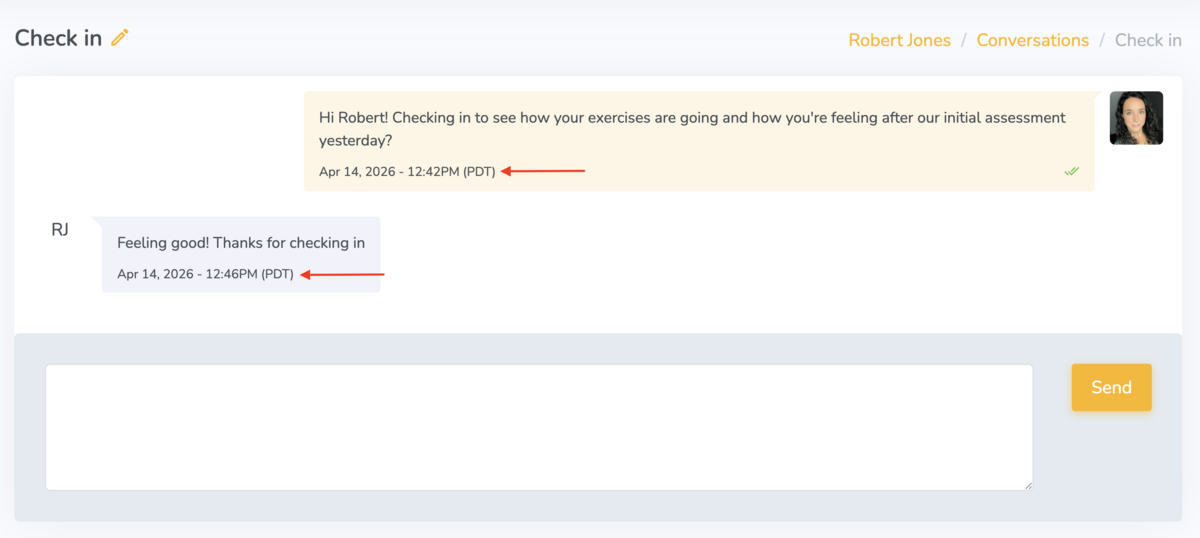
What's new under Messaging? The date/time stamp has been moved from a hover-over option (shown only when you hovered over it), to directly under each message.
🔒 Requires an active Tier 2 or 3 membership
Booking requests:
A booking request is a simple contact form on your online booking portal that clients can fill out to request an appointment. It is a great way to reduce patient/client drop-off on online booking:
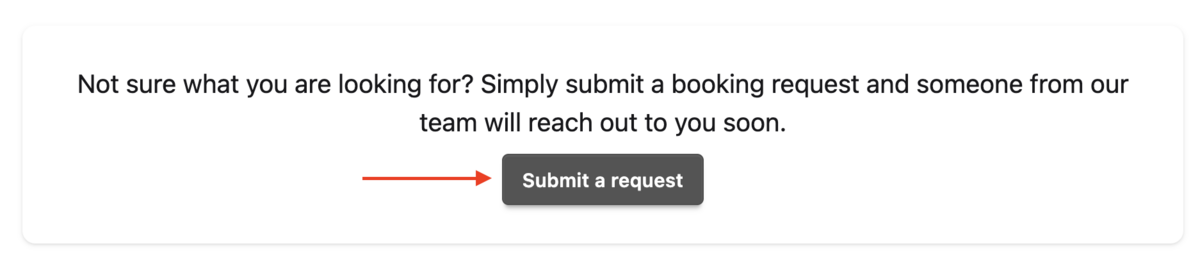
When a patient submits a booking request, the clinic is notified via email and a notification alert appears on the account under Consults > Booking requests
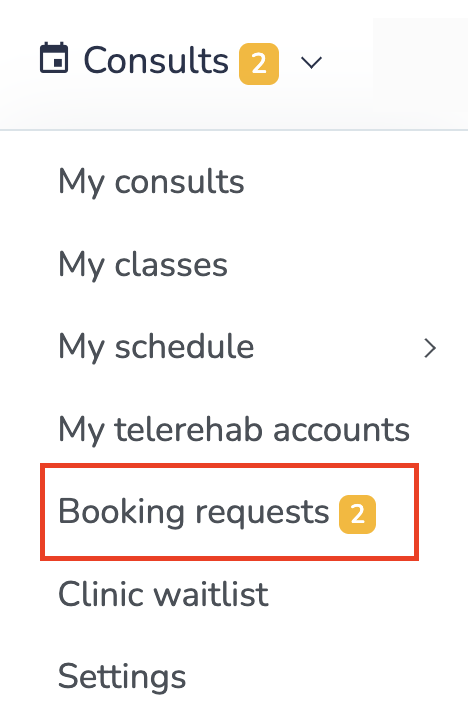
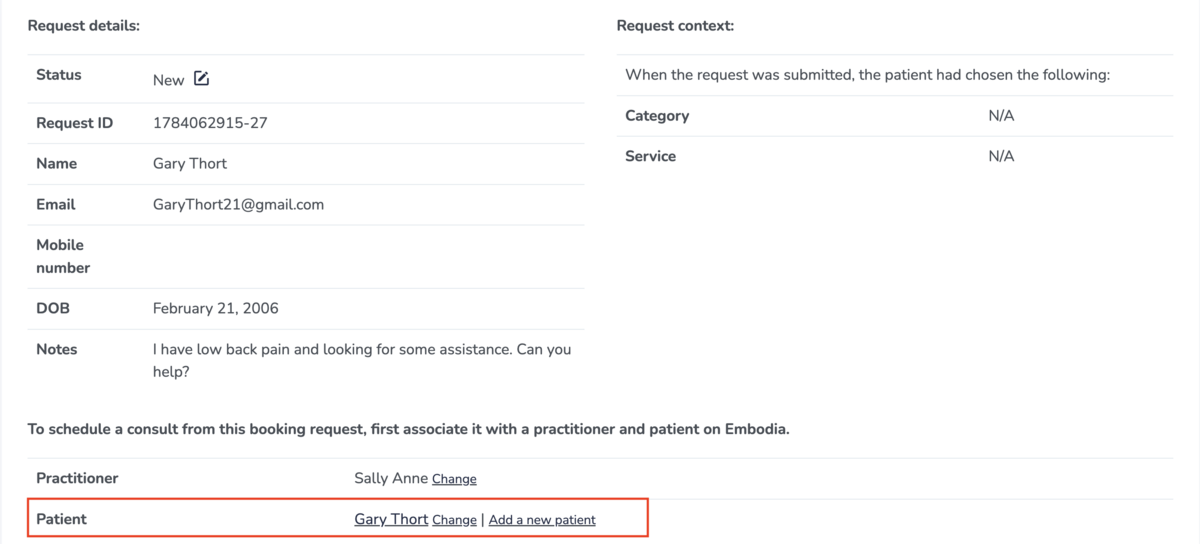
What's new under booking requests? Under Consults > Booking requests, the patient's name is hyperlinked, making it easy for you to navigate to their patient profile on Embodia.
🔒 Requires an active Tier 3 Practice Management membership
Learn more about booking requests → Visit the 'Booking request forms' section in the Online booking settings guide.
New in the Exercise Library: Climbing-Specific Content
We've added a set of rock climbing–specific exercises to the library, alongside the Heavy Slow Resistance content for tendinopathy we covered a while back.
New additions include finger and grip-strength drills like: Pinch No Hang, Full Crimp No Hang, 1 Finger Pocket No Hang, 2 Finger Pocket No Hang, 3 Finger Drag No Hang, and 1/2 Crimp No Hang.
Useful content if you're working with climbers or anyone whose training depends on finger strength.
🔒 Requires an active Tier 2 or 3 membership
Don't miss key updates and deals
Embodia is built for you, the physiotherapist, occupational therapist, or allied health practitioner focused on excellence and growth.
Every month on our blog we share what's new on Embodia, clinical reads worth your time, and updates from the community.
Our email list shares these, continuing education discounts, live webinar announcements, promotions, and more. No spam. Real-time updates and deals worth your time.
If you're not already on the list, join below! You can opt into a few emails a month, or choose to receive blog emails only. Your call!